Getting started
What FunctionFlow AI does
FunctionFlow AI turns the rules you describe into native Shopify Functions for discounts, shipping, payment and checkout, without code.
FunctionFlow AI lets you create Shopify Functions without writing code. You describe a rule — “free shipping over $150”, “hide Cash on Delivery above $300”, “20% off on weekdays from 5 to 7 PM” — and FunctionFlow builds it, lets you test it, and publishes it to your store’s checkout.
What Shopify Functions are
Shopify Functions are Shopify’s official way to change how checkout works: which discounts apply, which shipping and payment options customers see, and when an order can’t go through. They run inside Shopify’s own checkout, so there are no theme edits, no scripts on your storefront and nothing that slows your store down. They replace the older Shopify Scripts, and because FunctionFlow is a public app, its functions work on every Shopify plan — you don’t need Shopify Plus.
The four kinds of functions
| Kind | What it can do | Examples | Where it shows in Shopify admin |
|---|---|---|---|
| Discounts | Percentage or fixed discounts, Buy X Get Y, bundles, tiers, quantity breaks, gifts, free or discounted shipping | Buy 2 get 10% off, buy 5 get 20% off · Happy hour: 20% off 5–7 PM | Discounts |
| Shipping | Hide, rename or reorder delivery options, or make shipping free or discounted | Hide express shipping for Alaska & Hawaii | Settings → Shipping and delivery |
| Payment methods | Hide, rename or reorder payment methods | Hide Cash on Delivery above $300 | Settings → Payments |
| Checkout rules | Stop checkout with a clear message | Maximum 5 units per product · Block PO Box addresses | Settings → Checkout |
Each function you build is one of these kinds. Learn more in Discounts, Shipping rules, Payment rules and Checkout rules.
How a function works
Every function has two parts:
- When — the conditions a checkout must meet, such as the cart total, the customer’s tags, the products in the cart, the shipping address or the time of day. Leave it empty and the function applies to every checkout.
- Then — what happens when the conditions match: a discount, a hidden payment method, a renamed shipping rate, a blocked checkout and so on.
When you publish, FunctionFlow compiles the rule and creates the matching object in your Shopify store — an app discount, a delivery or payment customization, or a checkout validation. From then on, Shopify runs your rule on every checkout, in milliseconds.
Ways to build a function
- Pick a goal — the create screen lists ready-made starting points such as Free shipping, Quantity breaks or Hide payment methods. See Ways to start a function.
- Start from a template — complete rules you only need to adjust. See Templates.
- Describe it to AI — type the rule in plain English and review the draft. See AI generator.
- Write it in code — JavaScript for anything custom. See Code editor.
Whichever way you start, you end up in the same visual builder, where you can change every detail.
Built-in safety nets
- Test before publishing. The tester runs the real compiled function against a sample cart and explains, condition by condition, why it did or didn’t apply.
- Try it on your live store first. Test mode shows a function only to customers tagged
ff-test. - Undo anything. Every change is saved as a version you can compare and restore, and you can switch a function off in one click.
A quick tour of the app
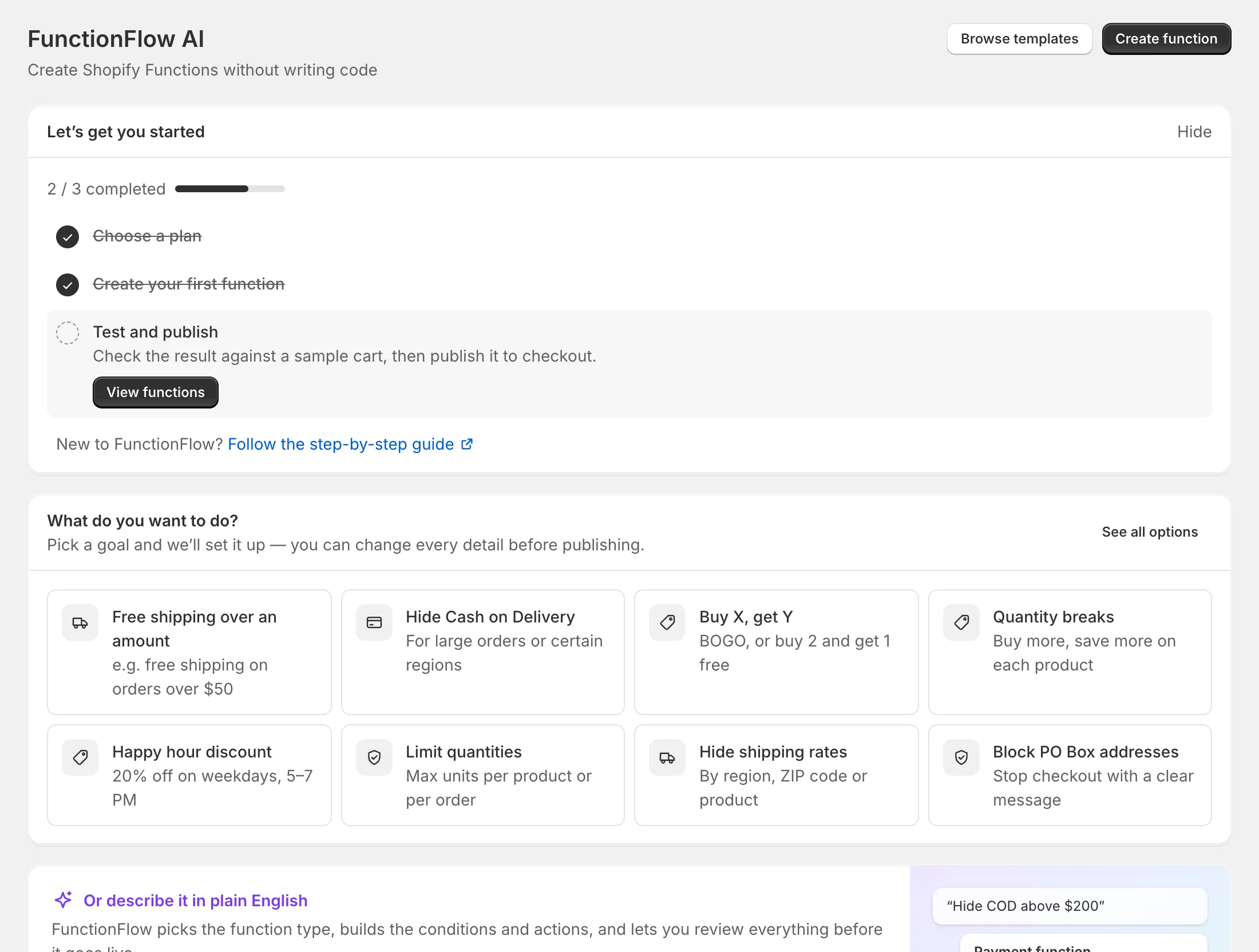
FunctionFlow opens inside your Shopify admin. Its menu has:
- Home — setup checklist, quick starts, stats, your plan, popular templates and recent activity.
- Functions — every function you’ve built. See Manage your functions.
- Code editor — functions written in JavaScript.
- Templates — ready-made rules.
- AI generator — describe a rule in plain English.
- Analytics — orders and revenue your functions influenced. See Analytics.
- Plans — your plan and billing. See Plans and billing.
- Settings — notifications, checkout validation and discount defaults. See Settings.
Limits to know about
Shopify sets a few limits that apply to every app:
- Up to 25 active app discounts, 25 delivery customizations, 25 payment customizations and 25 checkout validations per store. Free and discounted shipping count as discounts.
- A function’s configuration can be at most 10 KB. FunctionFlow shows how much you’ve used and tells you if a rule gets too big.
- A function can only read the cart data Shopify gives it, so a few conditions aren’t available for every kind of function. The builder only offers what works.
Ready? Create your first function.