Build functions
Describe a rule to the AI generator
Type a rule in plain English and FunctionFlow AI drafts the function, checked against Shopify’s limits, for you to review, test and publish.
The AI generator turns a sentence like “Hide Cash on Delivery for orders above $200” into a complete draft function. You always review it in the builder before anything is published.
The AI generator is part of the Pro plan and above. See Plans and billing.
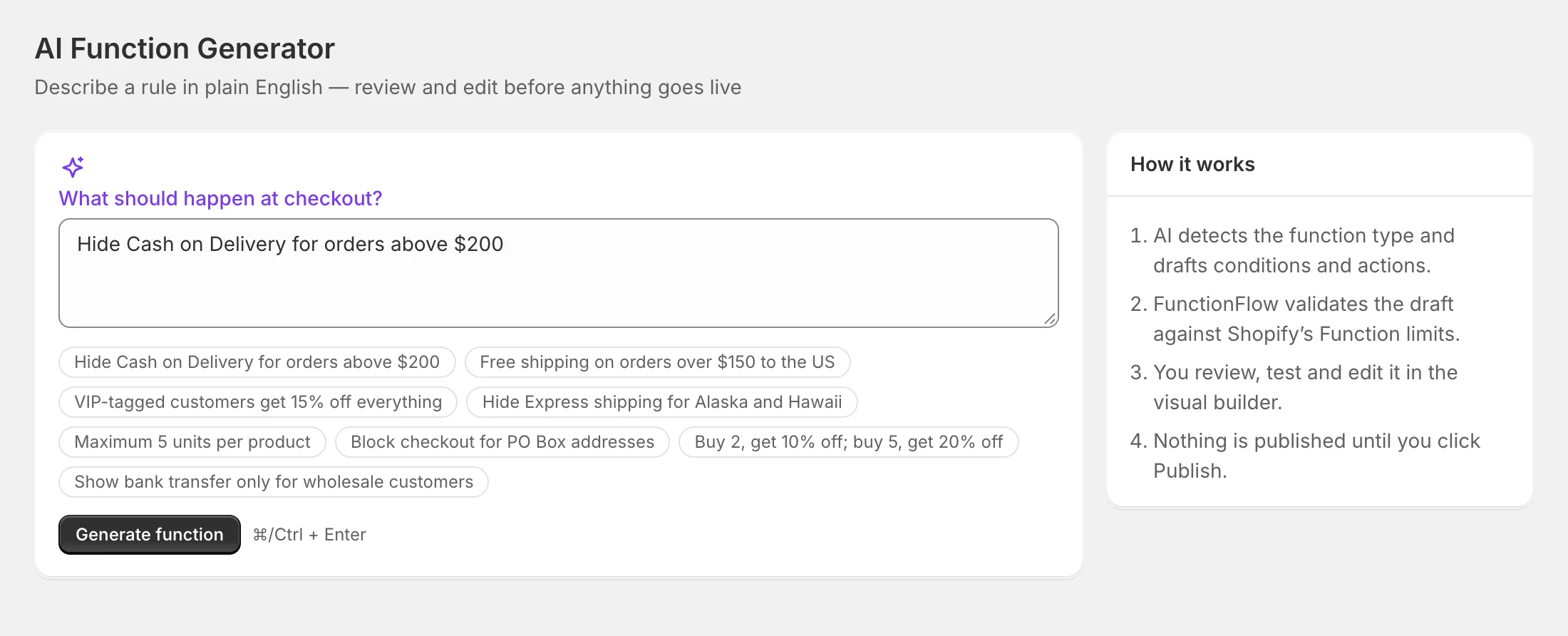
Generate a function
- Open AI generator in the app menu. You can also type a rule in the Or describe it in plain English box on Home and click Generate.
- Under What should happen at checkout?, describe the rule in one or two sentences — or click one of the examples.
- Click Generate function (or press ⌘/Ctrl + Enter).
In a few seconds you get a draft with:
- the kind of function (discount, shipping, payment or validation) and a title,
- a one-sentence summary,
- the When conditions and the Then actions,
- warnings where the AI had to make an assumption — read these carefully.
Before you see it, FunctionFlow checks the draft against the same rules as the builder and Shopify’s limits. If the first attempt isn’t valid, it’s sent back to the AI once to fix.
Review, test and edit
- Test it first — opens a small tester right below the draft so you can try it on a sample cart.
- Review & edit in builder — opens the draft in the visual builder with a Drafted by AI — review before publishing badge. Your prompt is kept in the internal note.
Nothing is saved until you click Save draft or Publish… in the builder. If you reload the builder before saving, the draft is gone — generate it again or use Recent prompts.
If the draft isn’t right, edit your prompt and click Regenerate.
Write good prompts
- Say what should happen and when: “20% off the order on weekdays between 5 and 7 PM.”
- Use amounts in your store’s currency. Countries and regions become codes (US, CA, AK, ON).
- Name payment and shipping methods as customers see them at checkout: cash on delivery, paypal, express. They’re matched by part of the name.
- “Show only X” works: the AI hides everything else.
- Free shipping becomes a shipping function with free shipping.
- Products: the AI can’t pick specific products or collections from your store. It uses tags, product types or vendors instead and warns you — choose the exact products in the builder afterwards.
- Per-customer limits (“max 2 per customer”) are applied per order — Shopify Functions can’t see a customer’s past orders item by item.
Recent prompts
The Recent prompts card lists your store’s last five successful prompts. Click one to put it back in the box.
Limits
- Prompts must be between 8 and 1,000 characters.
- Each store can generate up to 30 times an hour. If you reach that, you’ll see You’ve reached the hourly AI limit. Try again later.
- If the AI can’t produce a valid function, you’ll see a message asking you to rephrase or start from a template.
Privacy
Prompts are sent to our AI provider (OpenAI) to generate the draft. Describe rules, not people: don’t include customer names, emails or other personal information in prompts. See Your data and privacy.