Build functions
Ways to start a function
Start from a goal on the create screen, a ready-made template, a plain-English description for the AI generator, JavaScript, or a blank rule.
Click Create function on Home or on the Functions page to open What do you want to do?. It lists every starting point FunctionFlow offers, grouped by kind.
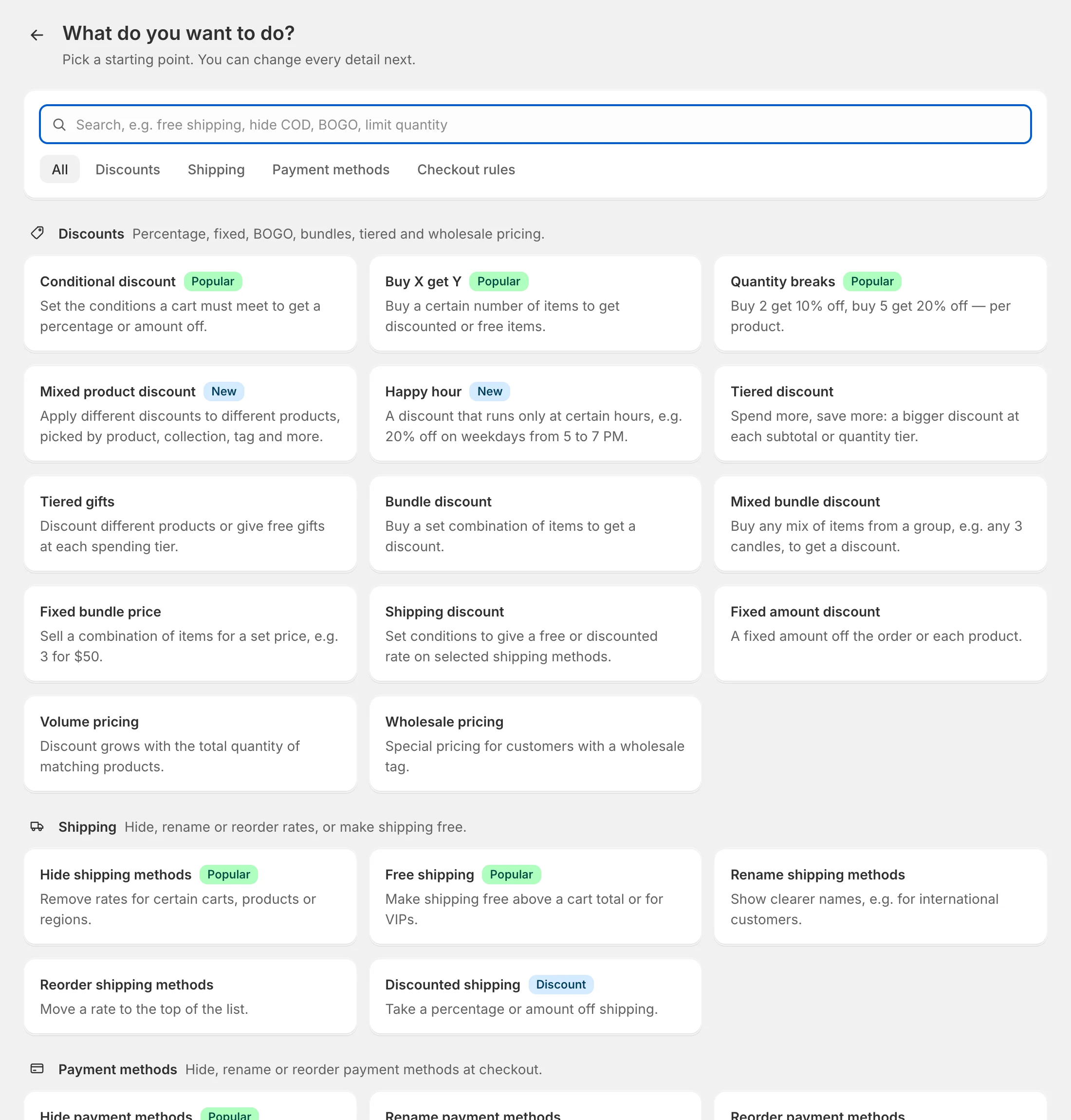
Find a starting point
- Search — type what you want, in your own words: free shipping, hide COD, BOGO, limit quantity, happy hour. Every word must match, so start short.
- Tabs — show All, or only Discounts, Shipping, Payment methods or Checkout rules.
- Badges — Popular marks the most used starting points; New marks recent additions.
Click a card and the builder opens with conditions and actions already filled in. If the title is empty, it takes the card’s name. Change anything you like — nothing is saved until you click Save draft or Publish….
Starting points by kind
Discounts
| Starting point | What it sets up |
|---|---|
| Conditional discount | 10% off the order when the cart total is at least 100 |
| Buy X get Y | Buy 2, get 1 free |
| Quantity breaks | 10% off at 2 units, 20% off at 5 units, per product |
| Mixed product discount | Different discounts for different products (e.g. 20% off sale, 40% off clearance) |
| Happy hour | 20% off the order on weekdays from 5 to 7 PM |
| Tiered discount | Spend more, save more: 5% from 100, 10% from 250 |
| Tiered gifts | Free gift products at each spending tier |
| Bundle discount | A discount when the cart has a set combination of items |
| Mixed bundle discount | A discount for any mix of items from a group, e.g. any 3 candles |
| Fixed bundle price | A set price for a combination, e.g. 3 for $50 |
| Shipping discount | Free or discounted shipping above a cart total |
| Fixed amount discount | A fixed amount off the order or each product |
| Volume pricing | A discount that grows with the quantity of matching products |
| Wholesale pricing | 30% off for customers tagged wholesale |
Shipping
| Starting point | What it sets up |
|---|---|
| Hide shipping methods | Hide rates whose name contains express |
| Free shipping | Free shipping when the cart total is at least 150 |
| Rename shipping methods | Rename standard to Standard (3–5 business days) |
| Reorder shipping methods | Move local rates to the top |
| Discounted shipping | 50% off shipping |
Payment methods
| Starting point | What it sets up |
|---|---|
| Hide payment methods | Hide Cash on Delivery when the cart total is over 300 |
| Rename payment methods | Rename a method, e.g. Cash on Delivery (+$5 fee) |
| Reorder payment methods | Move a method, e.g. bank transfer, to the top |
Checkout rules
| Starting point | What it sets up |
|---|---|
| Restrict quantity | At most 5 units of each product |
| Block checkout | A message that stops checkout — add the conditions it should apply to |
| Restrict products | Block products tagged restricted |
| Restrict customers | Ask guests to sign in before they can check out |
Important: Block checkout starts without conditions, so it would block every checkout — add the conditions it should apply to before you publish. Restrict products also starts without conditions, which blocks the restricted products for everyone; add a condition such as Customer tags has none of wholesale to decide who can still buy them.
Other ways to start
Below the starting points:
- Start from a template — ready-made rules you can adjust. See Templates.
- Describe it to AI — type the rule in plain English. See AI generator.
- Write it in code — JavaScript, for anything custom. See Code editor.
- Or start blank — an empty rule of the kind you choose.
A badge such as Pro or Enterprise next to an option means your current plan doesn’t include it yet. See Plans and billing.
One kind per function
Each function is one kind of Shopify Function, so a few actions can’t be mixed in one function — for example, a shipping discount can’t share a function with product or order discounts. The builder greys out actions that would need a different function. Create a separate function for each instead.