Function types
Happy hours and time-based rules
Run a rule only at certain times or on certain days — happy hours, weekend offers, same-day delivery cutoffs — in your store’s time zone.
Two conditions make any function time-aware: Time of day and Day of the week. Use them for happy hours, weekend offers, lunch deals or delivery cutoffs. They work in every kind of function.
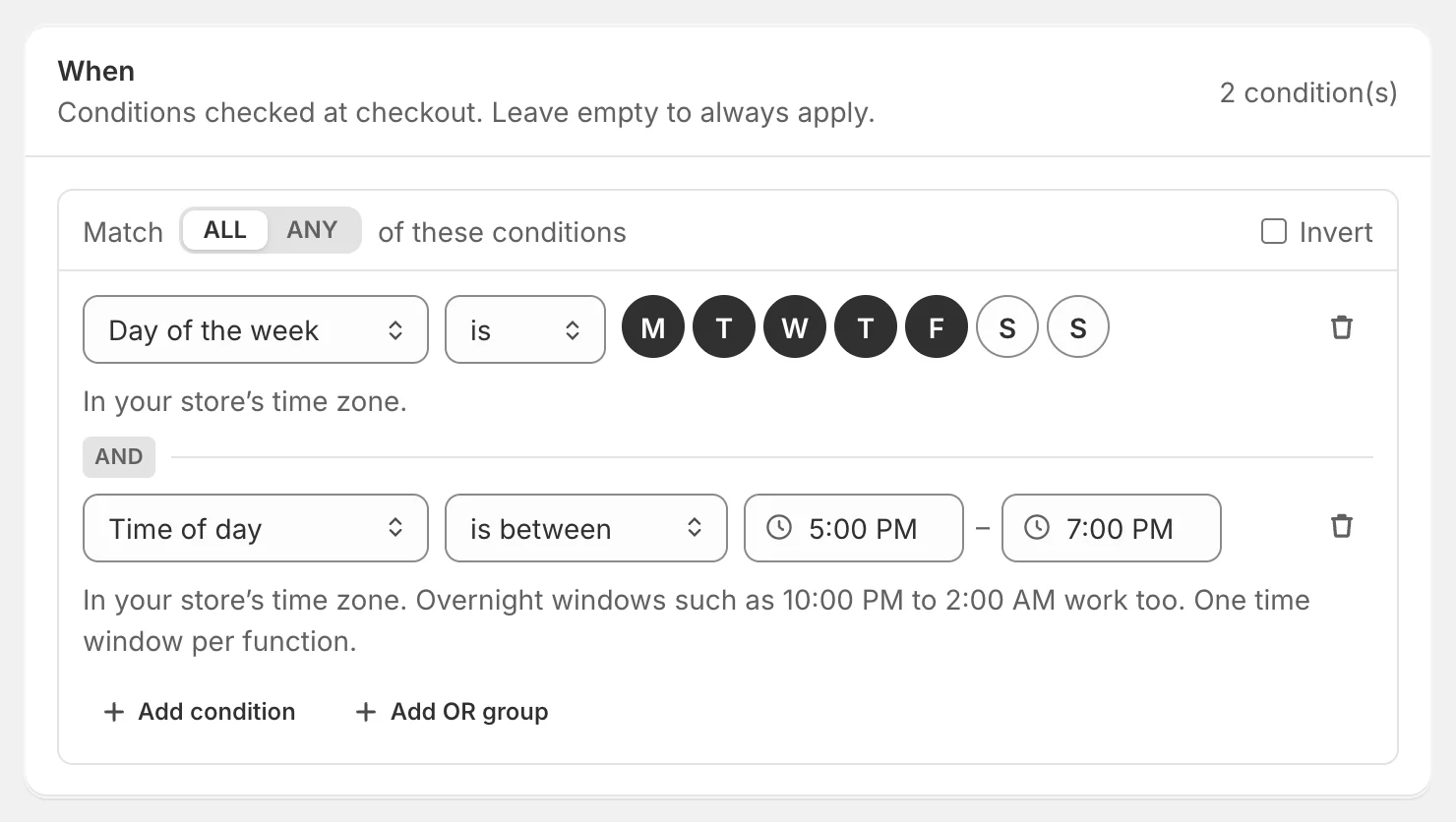
Create a happy hour
- Click Create function, search for happy hour and choose Happy hour — or use the Happy hour: 20% off, weekdays 5–7 PM template.
- The rule starts as 20% off the order, Monday to Friday, 5:00–7:00 PM. Change the days, the times or the discount.
- Give it a title customers will understand, such as Happy hour: 20% off.
- Test it, then publish.
Time of day
Time of day is between a start and an end time.
- Times are in your store’s time zone — set in Shopify admin under Settings → General. Check it’s right before relying on time rules.
- Overnight windows work: 10:00 PM to 2:00 AM runs from late evening into the next morning.
- You can type times as 9:45 am, 21:45 or noon, or pick from the list.
- Each function can have one time window. For two windows (lunch and evening), create two functions.
Day of the week
Day of the week is or is not the days you click — Monday first. Combine it with Time of day for windows on specific days, or use it alone for weekend or weekday rules.
Ideas
| Rule | Conditions |
|---|---|
| Happy hour: 20% off | Day of the week is Mon–Fri · Time of day is between 5:00 PM and 7:00 PM |
| Weekend free shipping | Day of the week is Sat, Sun · Cart total is at least 50 |
| Same-day delivery cutoff | Time of day is between 2:00 PM and 11:59 PM → hide same-day rates |
| Lunch deal | Time of day is between 11:30 AM and 2:00 PM → 10% off products tagged lunch |
| Weekday wholesale hours | Customer tags has any of wholesale · Day of the week is not Sat, Sun |
Time conditions vs active dates
- Time conditions repeat: every weekday from 5 to 7 PM, every weekend.
- Active dates switch the whole function on and off once: from Friday 9 AM until Monday midnight.
Use both together for a happy hour that runs only during a promotion week.
Test a time-based rule
When a rule has time conditions, the tester shows a Store date & time box. It starts at the current time in your store’s time zone — set any date and time to see what happens then, or click Use now. The Why section shows the store day and whether the time was inside the window.
Limits
- One time-of-day window per function.
- When a function uses a time condition, Shopify limits how much cart data it can read: Product type and Product vendor can’t be used in the same function (and in shipping discounts, Line property can’t either). Use a product tag or collection instead — the builder tells you if you hit this.