Plans, billing & data
Plans, free trial and billing
Compare plans, start a free trial, upgrade, downgrade or cancel. Billing goes through your Shopify invoice — no separate card needed.
FunctionFlow AI is billed through Shopify: charges appear on your regular Shopify invoice, in US dollars, every 30 days. Open Plans in the app menu to see your plan and change it.
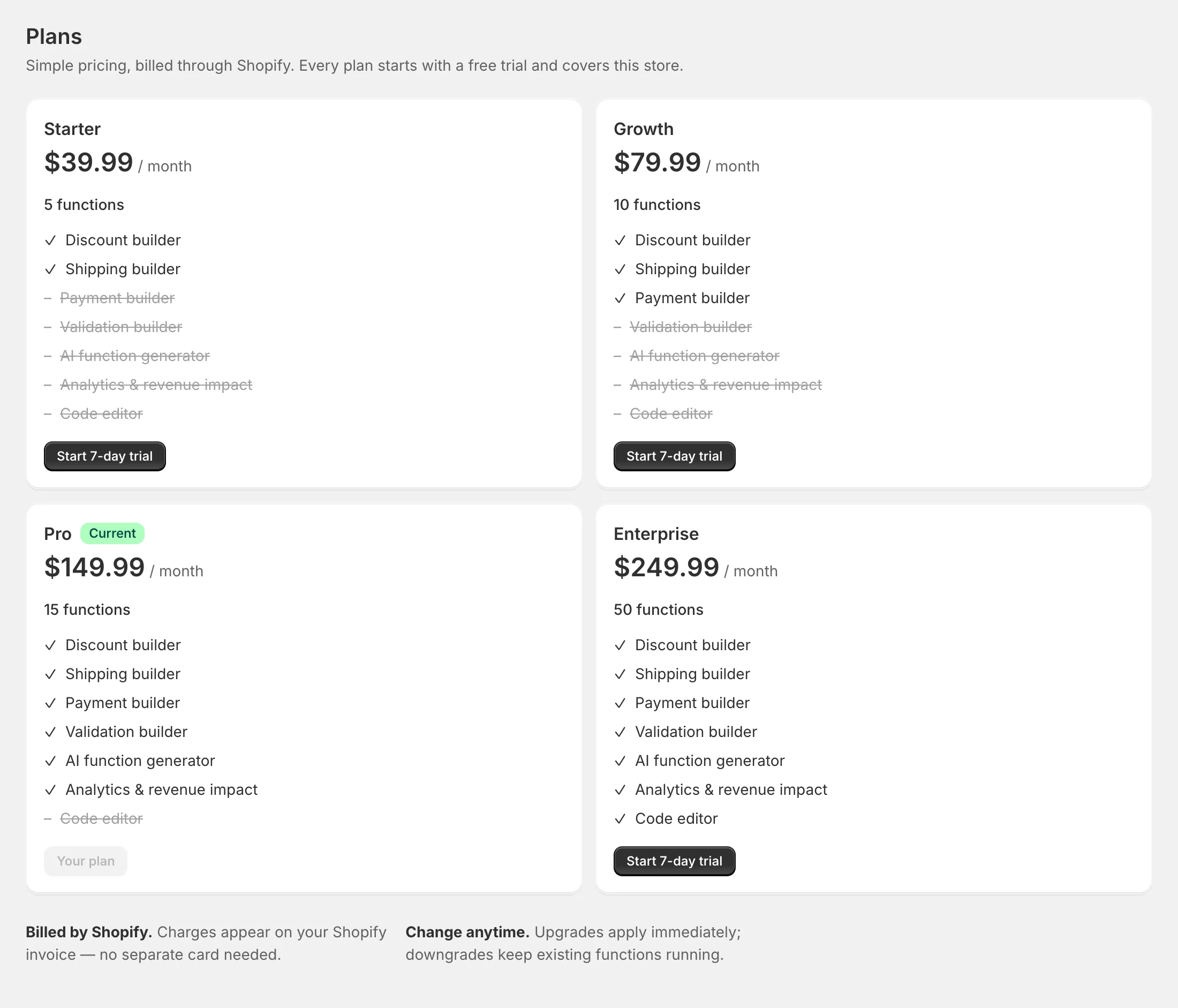
Plans
| Plan | Price | Functions | Includes |
|---|---|---|---|
| Starter | $39.99/month | 5 | Discount and shipping builders, templates and the tester |
| Growth | $79.99/month | 10 | Everything in Starter, plus payment and validation builders |
| Pro | $149.99/month | 15 | Everything in Growth, plus the AI function generator and analytics |
| Enterprise | $249.99/month | 50 | Everything in Pro, plus the code editor for custom functions |
Every plan starts with a 7-day free trial and is billed through Shopify. Each plan covers one store.
Every plan works on any Shopify plan, from Basic to Plus.
Start your free trial
- On Plans, click the button on the plan you want — for example Start 7-day trial.
- Shopify shows the subscription for approval. Approve it.
- You’re taken back to FunctionFlow, ready to build.
The free trial is offered once per store. If your store has had a FunctionFlow subscription before — including after reinstalling — a new plan starts without a trial. While you’re on a trial, the Plans page shows when it ends.
Upgrade or downgrade
Click the button on another plan and approve the change in Shopify. The new plan replaces the old one as soon as you approve it.
When you move to a smaller plan:
- Nothing is unpublished. Published functions keep running at checkout.
- If you have more functions than the new plan includes, archive some before creating new ones.
- Functions of a kind the new plan doesn’t include keep running, but can’t be saved or published until you upgrade again.
Cancel
At the bottom of Plans, click Cancel subscription and confirm. Cancelling takes effect straight away:
- Published functions keep running at checkout.
- You can’t create, change or publish functions until you choose a plan again.
To stop everything — including your functions at checkout — uninstall the app. See Your data and privacy.
Special offers
If we’ve offered your store a discount, the Plans page shows A special offer for your store and the discounted prices. Choose a plan and the discount is applied to it. If you already have a subscription, click Apply offer to my … plan and approve it in Shopify — Shopify can’t change a running charge, so the discounted price starts with that approval.
Function limits
Each plan includes a number of functions. Every function that isn’t archived counts, drafts included. Archive functions you don’t need to make room. Shopify also limits active functions to 25 of each kind per store, whatever your plan.
Questions about billing
Charges and invoices are in your Shopify admin under Settings → Billing. For anything else, email us — see Support.