Test & publish
Test a function before it goes live
Run the real compiled function against a sample cart, set what you expect, and read the Why breakdown to see exactly which conditions matched.
FunctionFlow’s tester runs your rule exactly as Shopify would at checkout — the real compiled Shopify Function — against a sample cart you describe. Nothing is published and no order is created.
Quick test or the Test page
- Quick test — the card in the builder’s sidebar. It tests your current, unsaved changes, so you can test while you build, even before the first save.
- Test page — click Test in the builder header, or on the Functions page. It tests the latest saved version with a full-width cart.
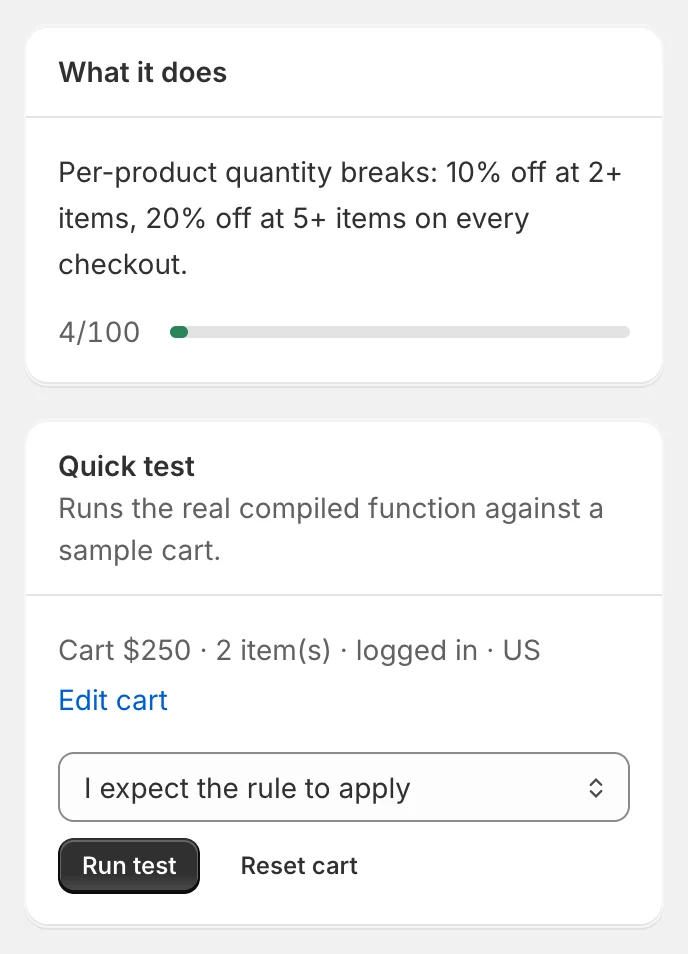
Both use the same cart, so changes you make in one show up in the other. The cart is remembered in your browser for each function.
Describe the cart
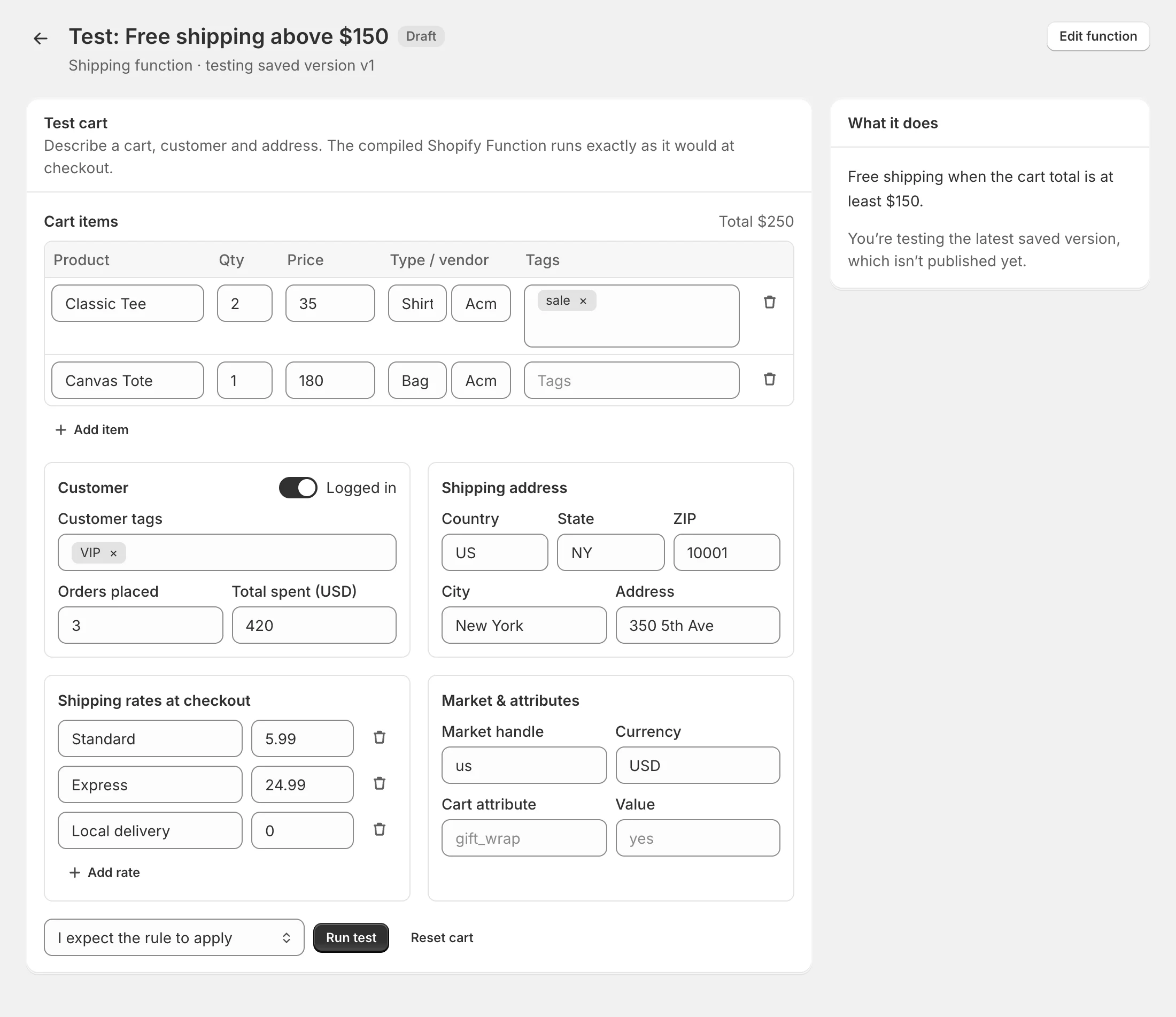
- Cart items — product title, quantity, price, product type, vendor and tags. Compare-at appears when the rule uses sale items; a column for a line property appears when the rule reads one. Click Add item for more.
- Customer — Logged in or a guest; Customer tags, Orders placed and Total spent.
- Shipping address — country (2-letter code), state, ZIP, city and address. Put PO Box 12 in Address to test PO Box rules.
- Store date & time — only for rules with time conditions.
- Payment methods at checkout — for payment rules; use your real method names.
- Shipping rates at checkout — for shipping rules, with a price for each.
- Market & attributes — market handle, currency and one cart attribute with its value.
Reset cart puts the sample cart back.
Run the test
- Choose what you expect: I expect the rule to apply, I expect the rule NOT to apply or No expectation.
- Click Run test.
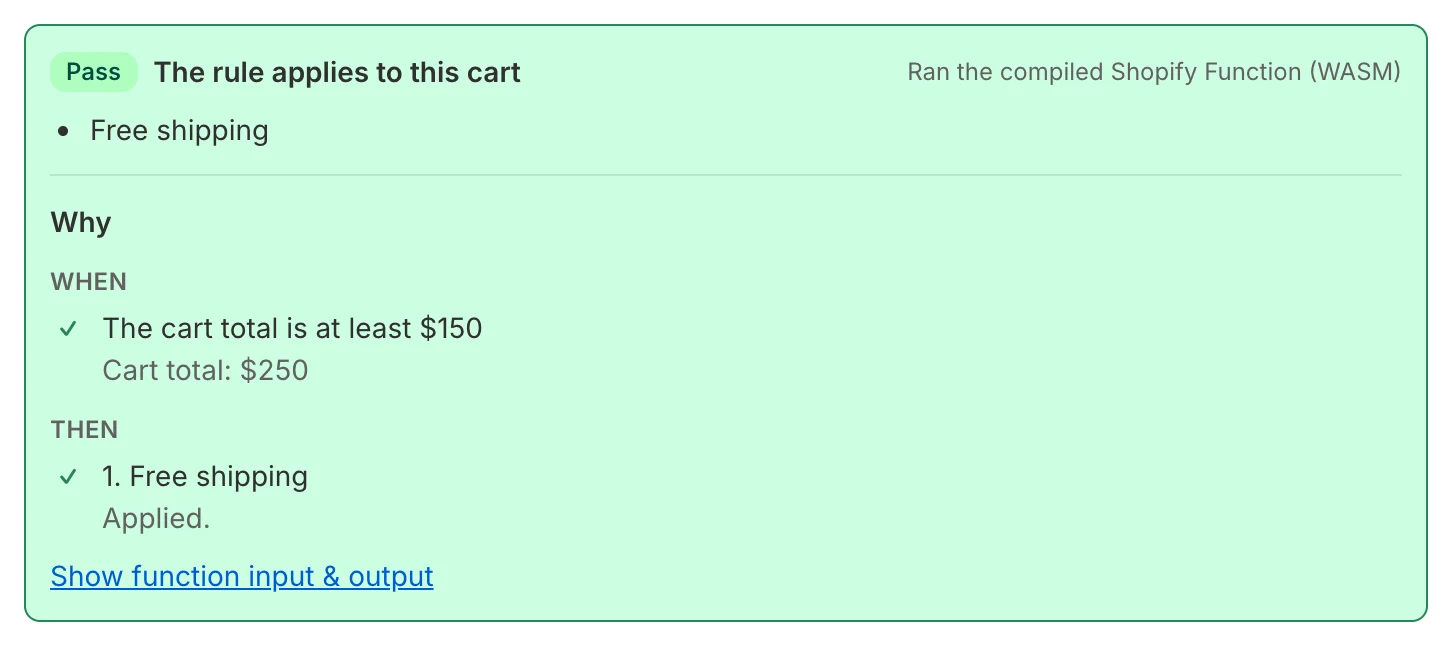
The result shows:
- Pass or Fail — whether the result matched your expectation.
- The rule applies to this cart or does not apply, and what changes — for example Hides payment method “Cash on Delivery (COD)” or 20% off “Classic Tee” (2 units). If nothing changes: Checkout stays unchanged.
- Ran the compiled Shopify Function (WASM) — the same code Shopify runs at checkout.
Read the Why breakdown
Why explains the result:
- When lists every condition with ✓ or ✕ and the value the function saw, such as Cart total: $250 or Customer tags: vip. For product conditions it shows which items matched.
- Then lists every action and what it did — Applied to Classic Tee, or why it didn’t, such as No eligible items (items on sale are excluded) or The cart didn’t reach the first tier.
Click Show function input & output to see the exact data sent to the function and what it returned.
Good habits
- Test one cart that should match and one that shouldn’t, with the matching expectation for each.
- Test the edge: a cart total exactly at your threshold, a guest customer, an address in another country.
- For payment and shipping rules, type the method names exactly as your checkout shows them.
What the tester can’t simulate
- Collections and specific products or variants — sample items aren’t real products, so Collection, Product and Variant conditions don’t match in the tester. Use a product tag to test the logic, or check in test mode.
- Weights — added items weigh nothing.
- Exchange rates — the tester uses the amounts as entered.
For the final check on your real store and real products, publish in test mode.
Test mode in the tester
If a function is in test mode, the tester applies the same rule as checkout: only customers tagged ff-test get it. Keep Logged in on and add ff-test under Customer tags to see the rule apply.