Function types
Payment rules
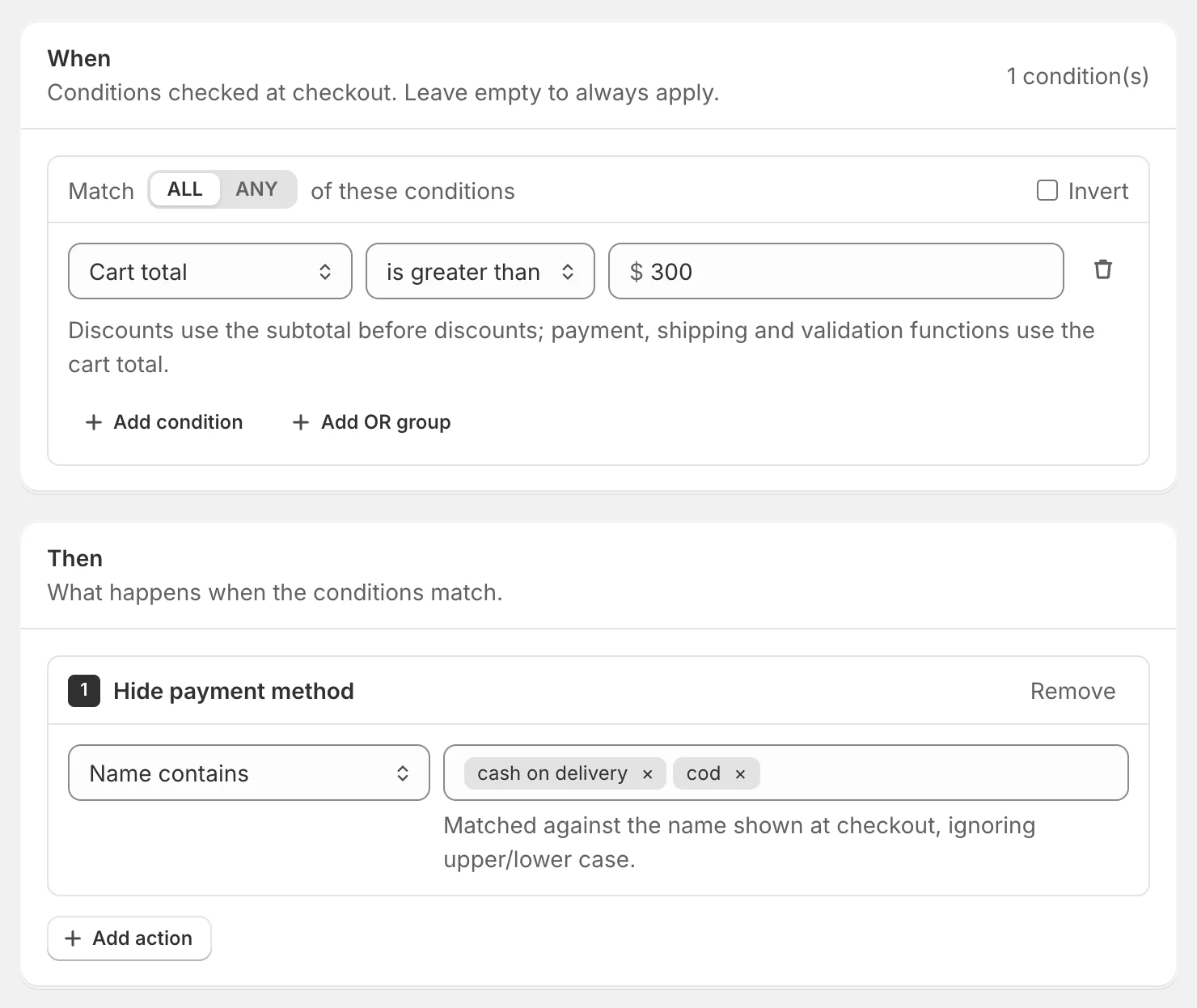
Hide, rename or reorder payment methods at checkout — for example hide Cash on Delivery above $300 or offer bank transfer only to wholesale customers.
Payment functions change which payment methods customers see at checkout, what they’re called and in what order. In Shopify they’re payment customizations, listed under Settings → Payments.
Actions
- Hide payment method — removes the matching methods.
- Rename payment method — New name is what customers see, e.g. Cash on Delivery (+$5 fee).
- Reorder payment method — Move to position: 1 is the top of the list.
Choose which payment methods
Payment methods are matched by the name shown at checkout:
- Name contains — cash on delivery matches Cash on Delivery (COD).
- Name is exactly — the whole name.
- All except names containing — every method except those; this is how you “show only” some methods.
- All payment methods.
Upper and lower case don’t matter, and several names can be entered — any of them matches.
Tip: Use the names customers see at checkout — they can differ from the names in your Shopify admin, so check a real checkout first.
Examples
| Goal | When | Then |
|---|---|---|
| No COD on big orders | Cart total is greater than 300 | Hide → name contains cash on delivery, cod |
| No PayPal for digital products | Product type is Digital (on any item) | Hide → name contains paypal |
| Bank transfer only for wholesale | Invert: Customer tags has any of wholesale | Hide → name contains bank |
| No cards for high-risk countries | Country is any of the countries you choose | Hide → name contains card |
| Bank transfer first for wholesale | Customer tags has any of wholesale | Reorder → name contains bank → position 1 |
Things to know
- Make sure at least one payment method stays visible for every cart you sell to.
- Amounts in payment rules are compared with the cart in the customer’s checkout currency. If you sell in several currencies, add a Currency condition or set thresholds per market.
- Shopify allows up to 25 payment customizations per store.
Test the rule: the tester has a Payment methods at checkout list — use your real method names.
Didn’t find what you need?Email [email protected] and we’ll help you set it up.
Email support