Manage & measure
Settings
Your store’s contact email, what happens if a checkout rule can’t run, default discount combinations, store details and staff with access.
Open Settings in the app menu. Change what you need and click Save.
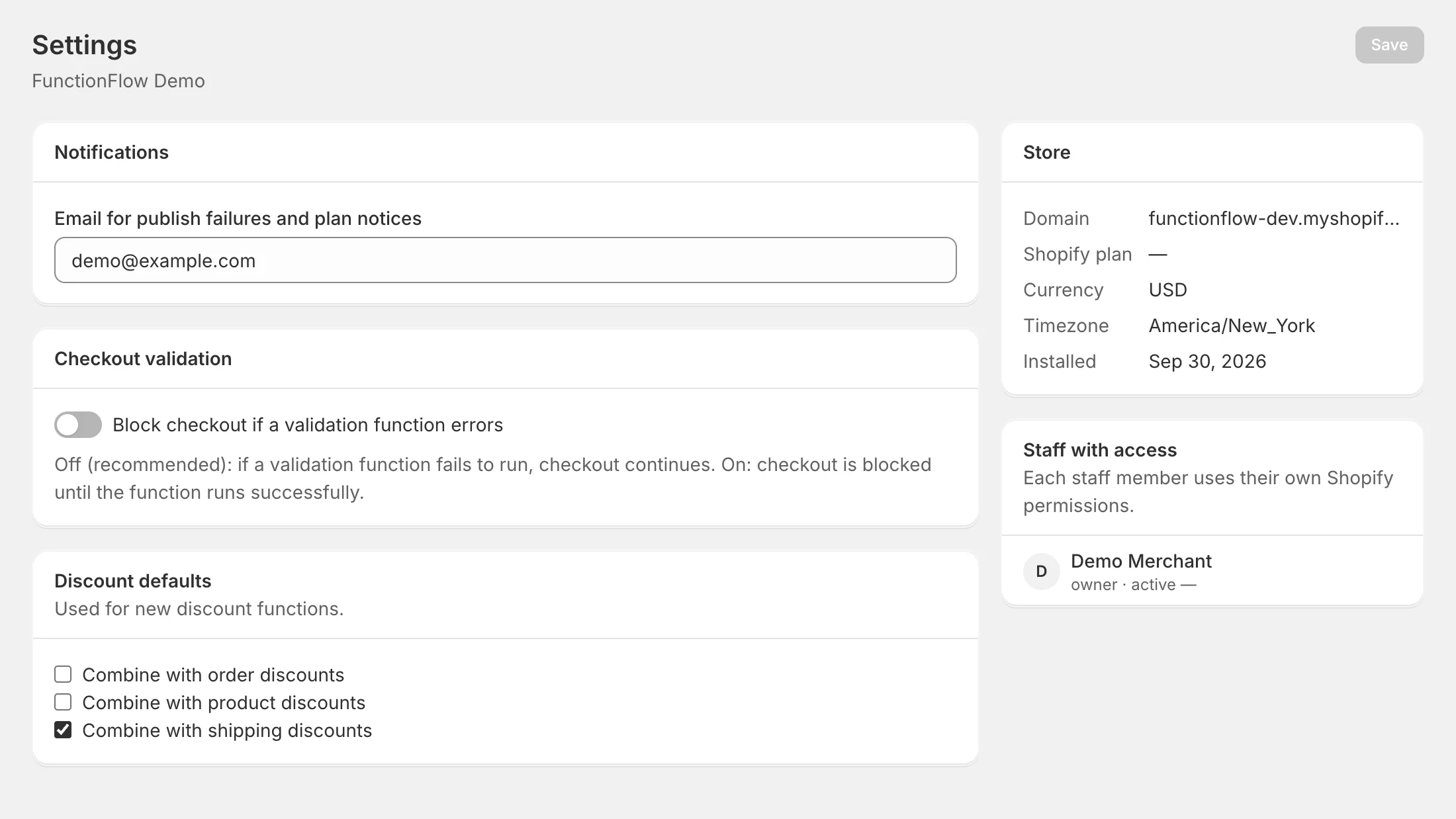
Notifications
Email for publish failures and plan notices — the contact email for your store in FunctionFlow. It starts as your store’s email.
Checkout validation
Block checkout if a validation function errors decides what happens in the rare case that one of your checkout rules can’t run:
- Off (recommended) — checkout continues as if the rule weren’t there.
- On — checkout is blocked until the rule runs successfully.
The setting is applied to each checkout rule when it’s published, so publish your checkout rules again after changing it.
Discount defaults
The Can combine with choices that new discount functions start with: Combine with order discounts, Combine with product discounts and Combine with shipping discounts. Out of the box only shipping discounts are ticked. You can still change each function in its Discount settings card — see Discounts.
Store
Your store’s domain, Shopify plan, currency, time zone and install date, kept up to date from Shopify. The time zone is the one used by time conditions and active dates; change it in Shopify admin under Settings → General.
Staff with access
Everyone on your team who has opened FunctionFlow, with when they were last active. Each staff member signs in through Shopify and uses their own Shopify permissions, so you manage who can use FunctionFlow in your Shopify admin’s user settings.