Build functions
Write a function in code
Write Shopify Functions in JavaScript when the visual builder isn’t enough — pick an input, start from a snippet, test against real function input and publish.
The code editor lets you write discount, shipping, payment and validation functions in JavaScript. Your code runs inside Shopify’s checkout, in the same sandboxed runtime as any Shopify Function. The code editor is part of the Enterprise plan.
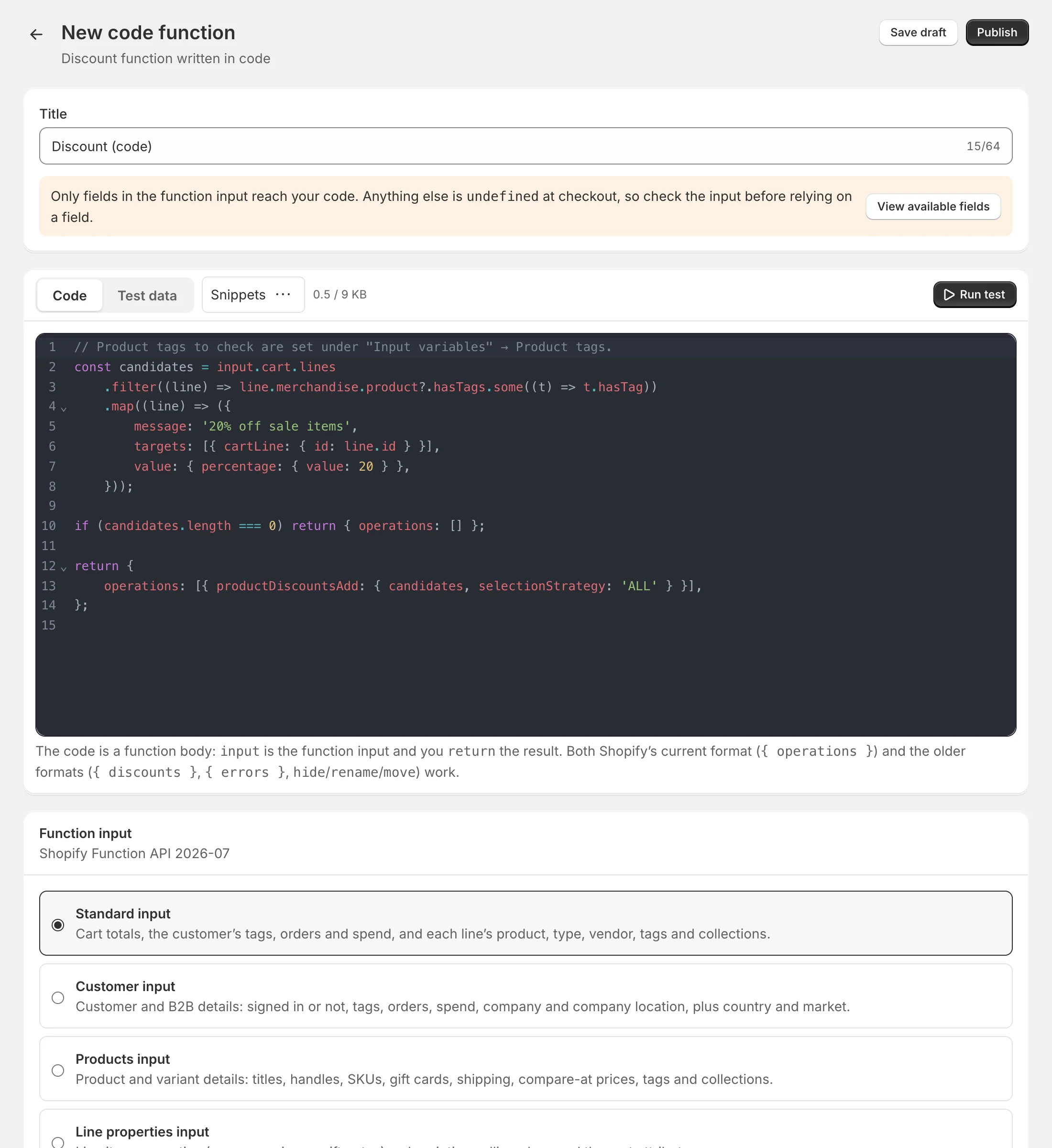
Start a code function
Open Code editor in the app menu and choose what to build:
- Product & order discount — your own discount logic for products or the order total.
- Shipping discount — free or discounted rates with any condition you can code.
- Shipping methods — hide, rename or reorder the rates at checkout.
- Payment methods — hide, rename or reorder payment methods.
- Checkout validation — block checkout with your own rules and messages.
Each one starts from a working snippet. Your code functions are listed under Code functions on the same page.
How the code works
Your code is a function body:
inputis the function input Shopify sends — the cart, customer and so on.- You
returnthe result.
// 20% off cart lines whose product has one of the tags set under Input variables.
const candidates = input.cart.lines
  .filter((line) => line.merchandise.product?.hasTags.some((t) => t.hasTag))
  .map((line) => ({
    message: '20% off sale items',
    targets: [{ cartLine: { id: line.id } }],
    value: { percentage: { value: 20 } },
  }));

if (candidates.length === 0) return { operations: [] };

return {
  operations: [{ productDiscountsAdd: { candidates, selectionStrategy: 'ALL' } }],
};
Shopify’s current format ({ operations: [...] }) works for every kind:
| Kind | Operations |
|---|---|
| Product & order discounts | productDiscountsAdd, orderDiscountsAdd |
| Shipping discounts | deliveryDiscountsAdd |
| Shipping methods | deliveryOptionHide, deliveryOptionRename, deliveryOptionMove |
| Payment methods | paymentMethodHide, paymentMethodRename, paymentMethodMove |
| Checkout validation | validationAdd with errors: [{ message, target }] |
Older formats from other function apps — { discounts }, { errors } and hide/rename/move operations — are converted automatically, so scripts written for other apps usually work as they are.
Choose the function input
Only fields in the function input reach your code — anything else is undefined at checkout. In the Function input card, pick the input your code needs:
- Product & order discounts: Standard, Customer, Products or Line properties input.
- Shipping discounts: Standard, Delivery or Address input.
- Shipping methods, payment methods and validation: Standard input.
Click View available fields to see exactly which fields the chosen input contains.
Input variables
Some fields depend on values you set in Input variables — for example which tags hasTags checks:
- Cart attribute key and Line property key — which attribute or property to read.
- Customer tags and Product tags — checked by
customer.hasTagsandproduct.hasTags. - Collection IDs — checked by
product.inCollections, e.g.gid://shopify/Collection/123.
After changing tags, use Reset to sample on the Test data tab to refresh the sample input.
Snippets
The Snippets menu has working examples for each kind, such as VIP customers: 15% off the order, Free shipping over $100, Hide Cash on Delivery above $300 or Minimum order of $50. Choosing one replaces your code (you’ll be asked first if you’ve edited it).
Test your code
- Open the Test data tab. It holds a sample function input for your chosen input — edit it to try other carts.
- Click Run test.
The Test result card runs your code in Shopify’s function runner and shows:
- What happens at checkout — the changes your code makes, or Nothing changes for this cart;
- the instructions used, out of Shopify’s 11 million per run;
- the raw Function output;
- Logs — anything you
console.log; - errors with a Go to line link.
Discount settings
For discounts, choose:
- Discount type — product and order, or shipping.
- Discount classes — product discounts, order discounts or both. Operations for a class you haven’t ticked are ignored.
- Method — automatic or discount code.
- Can combine with — order, product and shipping discounts.
Save and publish
Save draft checks your code for syntax errors and saves it. Publish puts it live in your store (on a live function the button reads Save and update). Code functions get version history like any other function, and appear on the Functions page.
Code functions don’t have test mode or active dates — use them when you need full control.
Limits
- Code can be about 9 KB, and code plus settings at most 10 KB.
- At most 11 million instructions per run.
- Up to 100 values per tag or collection list.